Plugins
SPOT is built around plugins. Every classifier, every source of organisational context, and every connection to a mail server is a plugin: a small, self-contained component that the platform installs, configures, and talks to over a well-defined contract.
There are three kinds of plugin. Each one fills a different role in the journey of an email.
Mail retrievers
A mail retriever is the bridge between a mail server and SPOT. Its only job is to deliver new messages into the platform in a consistent format. Whether the mail server is Postfix, an IMAP mailbox, an Exchange server, or a custom MTA, the retriever takes care of the specifics so the rest of SPOT does not have to care.
Retrievers come in two styles. Some sit inline with delivery: they intercept the message at the SMTP boundary, give SPOT a chance to classify it, and then either re-inject the message (optionally tagged with the verdict) or refuse it. Others run alongside delivery: they watch a mailbox for new messages and submit them after the fact, which is simpler to deploy but cannot block delivery. The choice between the two is a deployment decision; the workflow that runs afterwards is identical.
flowchart LR
    Mail([Mail server])
    Inbox([Mailbox])
    Retriever[Mail retriever]
    SPOT[SPOT platform]

    Mail -->|"inline:<br/>SMTP intercept"| Retriever
    Inbox -->|"out-of-band:<br/>poll mailbox"| Retriever
    Retriever -->|"submit email"| SPOT
    SPOT -.->|"verdict<br/>(inline mode)"| Retriever
    Retriever -.->|"tag / block / re-inject"| Mail
A retriever can be bound to a specific workflow so that messages it receives are always classified under the policy the operator chose for that source. A spam-trap retriever, for instance, might run a fast triage workflow, while a finance-team retriever runs the strictest policy.
Context providers
A context provider keeps SPOT informed about the organisation it is defending. Most spear-phishing attempts depend on the absence of this information: an attacker pretending to be the CFO is only convincing if the receiver does not know what the real CFO's email address looks like. By keeping a current picture of who works at the company, which domains they correspond with, and what the policy book says, SPOT raises the floor on what it can detect.
Each provider deposits its facts as knowledge documents into a shared knowledge store on its own cadence ; every six hours, every day, however the source updates. An employee-directory provider deposits employee profiles. A wiki provider deposits policy pages. A domain-allow-list provider deposits known-good correspondents.
Two things happen as each document lands: the store tags it (employee, executive, policy, partner-domain, …) and ; more importantly ; embeds it as a vector with an embedding model. That second step is what lets analyzers query by meaning rather than by exact wording: an analyzer hands the store a snippet of the email plus a tag filter, and gets back the documents whose semantics are closest, regardless of which provider produced them.
flowchart LR
    Source([External source<br/>HRIS / wiki / feed])
    Provider[Context provider]
    Schedule[/Cron schedule/]
    KB[(Knowledge store)]
    Analyzer[Analyzer]
    Email([Email under analysis])

    Schedule -.->|trigger| Provider
    Source -->|read| Provider
    Provider -->|deposit tagged<br/>documents| KB
    Email --> Analyzer
    Analyzer -->|query by tag<br/>+ semantic search| KB
    KB -->|matching documents| Analyzer
Operators can browse, search, or query the knowledge store directly from the dashboard. This is how they verify that a provider's data arrived in the shape they expected and that the right tags are applied.
Analyzers
An analyzer is a single classifier. Each one looks at the email from its own angle and returns a verdict. Some analyzers read the text and reason about its tone; others scan the headers; others compare URLs to threat-intelligence feeds; others apply hand-written rules. A typical SPOT deployment runs several analyzers in parallel, each with its own strengths.
flowchart LR
    Email([Email])
    Stage[Workflow stage]
    NLP[NLP analyzer]
    LLM[LLM analyzer]
    Rules[Rules analyzer]
    Aggregate{{Aggregation}}
    Verdict[Stage verdict]

    Email --> Stage
    Stage --> NLP
    Stage --> LLM
    Stage --> Rules
    NLP --> Aggregate
    LLM --> Aggregate
    Rules --> Aggregate
    Aggregate --> Verdict
An analyzer is also free to consult the knowledge store while it is running. A language-model analyzer evaluating a wire-transfer request might fetch the company's known executives so it can spot a name that is almost right; a rules analyzer might pull the partner-domain list to whitelist routine correspondents. The platform handles the plumbing ; the analyzer only declares which tags it cares about and/or let the embedding model determine which are the top_k semanticaly closest documents.
The verdicts from individual analyzers are merged into the platform verdict by the workflow that called them. That merge is policy, not analysis: it is where the operator decides how much weight each analyzer should carry, what counts as "phishing", and what the platform should do about it.
Installing and configuring plugins
Plugins are managed entirely from the dashboard. The Plugins page shows the unified catalog of plugins available from configured sources, alongside the list of plugins currently installed in this deployment. Installing a plugin pulls its container, registers it in the platform's configuration, and starts it; uninstalling stops it and removes its registration. Most plugins also expose a settings form ; credentials for an external service, a polling interval, a classification threshold ; that the dashboard renders from a schema the plugin itself ships.
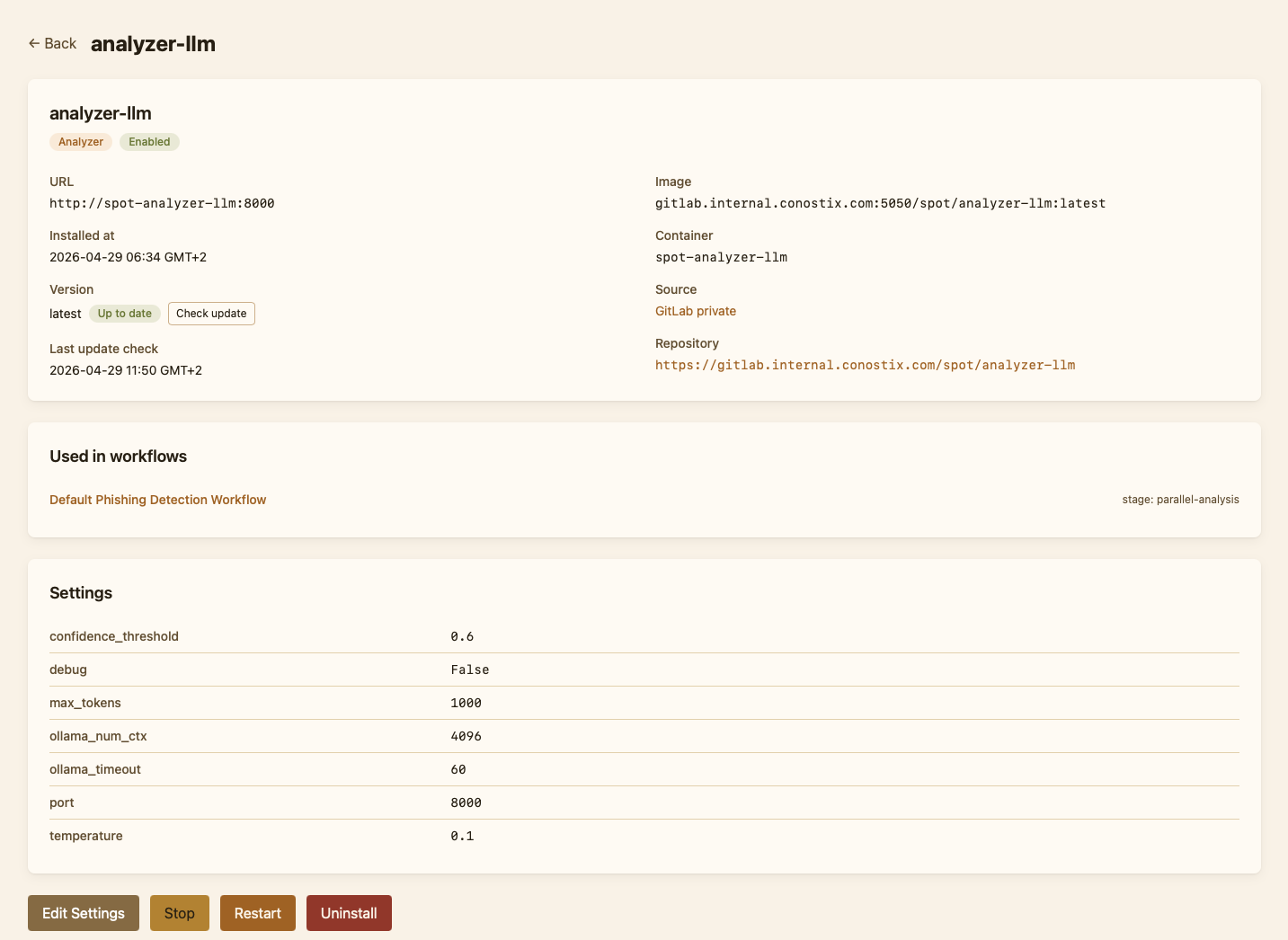
Catalog refreshes are scoped: the operator can re-scan a single source or check a single plugin for updates without rescanning everything. When a newer version is available, the plugin's row in the catalog shows an "Update available" chip.
Plugin sources
A source tells SPOT where to look for plugin images. SPOT supports two families:
Forge-driven sources point at a Git forge organisation. The platform lists the forge's repositories, then inspects each one's container image on the configured registry to read its OCI labels. Two flavours are supported today: gitlab and gitea (the latter also covers Codeberg and Forgejo). Forge-driven sources give catalog cards a free "view source" link to the originating repository.
Registry-driven sources point straight at a container registry and skip the forge entirely. They are the simpler option when only the images are public, when no Git forge is involved, or when the operator prefers a single point of trust. Four flavours ship out of the box: dockerhub, ghcr, gitlab_registry and gitea_registry. A registry source still recovers a "view source" link when the plugin's Dockerfile sets the standard org.opencontainers.image.source OCI label, which all of SPOT's bundled plugins do.
Both families produce identical PluginInfo records and feed the same catalog. Operators may add as many sources as they like, in any combination; the install flow remembers which source each plugin came from so an "Update" never silently switches sources, even when two sources publish a plugin under the same id.
A fresh deployment seeds the public Docker Hub spotproject source automatically (no auth required). Set SPOT_BOOTSTRAP_DEFAULT_PLUGIN_SOURCE=false to opt out, or replace it from the dashboard's Plugins → Sources page.