Workflows
A workflow is the policy that decides how SPOT classifies an email. It names the analyzers that should look at the message, the order they should run in, and the rules for combining their verdicts. Every analysis runs under exactly one workflow.
The platform ships with a default workflow that runs the installed analyzers in parallel and combines their verdicts by weighted average. Most operators start there and only edit it as their needs evolve.
What a workflow contains
A workflow is built out of three nested ideas: stages, analyzers, and aggregation.
flowchart TB
    Email([Email])
    subgraph Stage1[Stage 1 ; fast triage]
        direction LR
        Rules[Rules]
        TI[Threat-intel]
        Headers[Header check]
    end
    subgraph Stage2[Stage 2 ; deep analysis]
        direction LR
        NLP[NLP]
        LLM[LLM]
    end
    Aggregate{{Final aggregation}}
    Verdict[Workflow verdict]

    Email --> Stage1
    Stage1 -->|gate: continue<br/>only if suspicious| Stage2
    Stage2 --> Aggregate
    Aggregate --> Verdict

    classDef analyzer fill:#f4aa2b,stroke:#a95e09,color:#1f1610
    class Rules,TI,Headers,NLP,LLM,Aggregate,Verdict analyzer
A stage is a phase of the analysis. A simple workflow has one stage that runs everything in parallel; a more cautious workflow might use two stages where the first does cheap, fast checks (rules, threat-intel lookups) and the second does the expensive classifiers only when the cheap ones already found something suspicious. Stages can depend on each other so a later stage runs only when its predecessors finished.
Inside a stage, each analyzer has its own knobs: a weight (how much it counts in the final score), a timeout, a number of retries, and a failure strategy that says what to do when the analyzer is unreachable or returns an error. The platform applies them automatically ; the operator does not have to plumb anything through.
The aggregation method is the rule that turns several analyzer verdicts into one stage verdict. Weighted average is the default and suits most cases. Operators can also require that a minimum number of analyzers succeed before a stage is considered valid, which prevents a single failed analyzer from skewing the result.
Why have more than one workflow
A single workflow is enough to start. Operators add more when different sources of mail need different treatment:
- A fast workflow for high-volume sources where latency matters more than depth (e.g. a notifications mailbox).
- A strict workflow for sources where false negatives are very costly (e.g. a finance team).
- A triage workflow for spam traps, where SPOT only needs to bucket the message rather than reach a confident verdict.
Mail retrievers can be bound to a specific workflow, so a message from each source is always evaluated under the right policy without the operator picking one each time.
Designing and editing
Workflows are first-class objects in the dashboard. The Workflows page lists every workflow defined for this deployment, marks the one that is currently the platform default, and lets the operator clone, edit, validate, or delete any of them. The editor is form-driven: the operator picks analyzers from the installed set, drags them into stages, and tweaks the per-analyzer settings without writing configuration by hand.
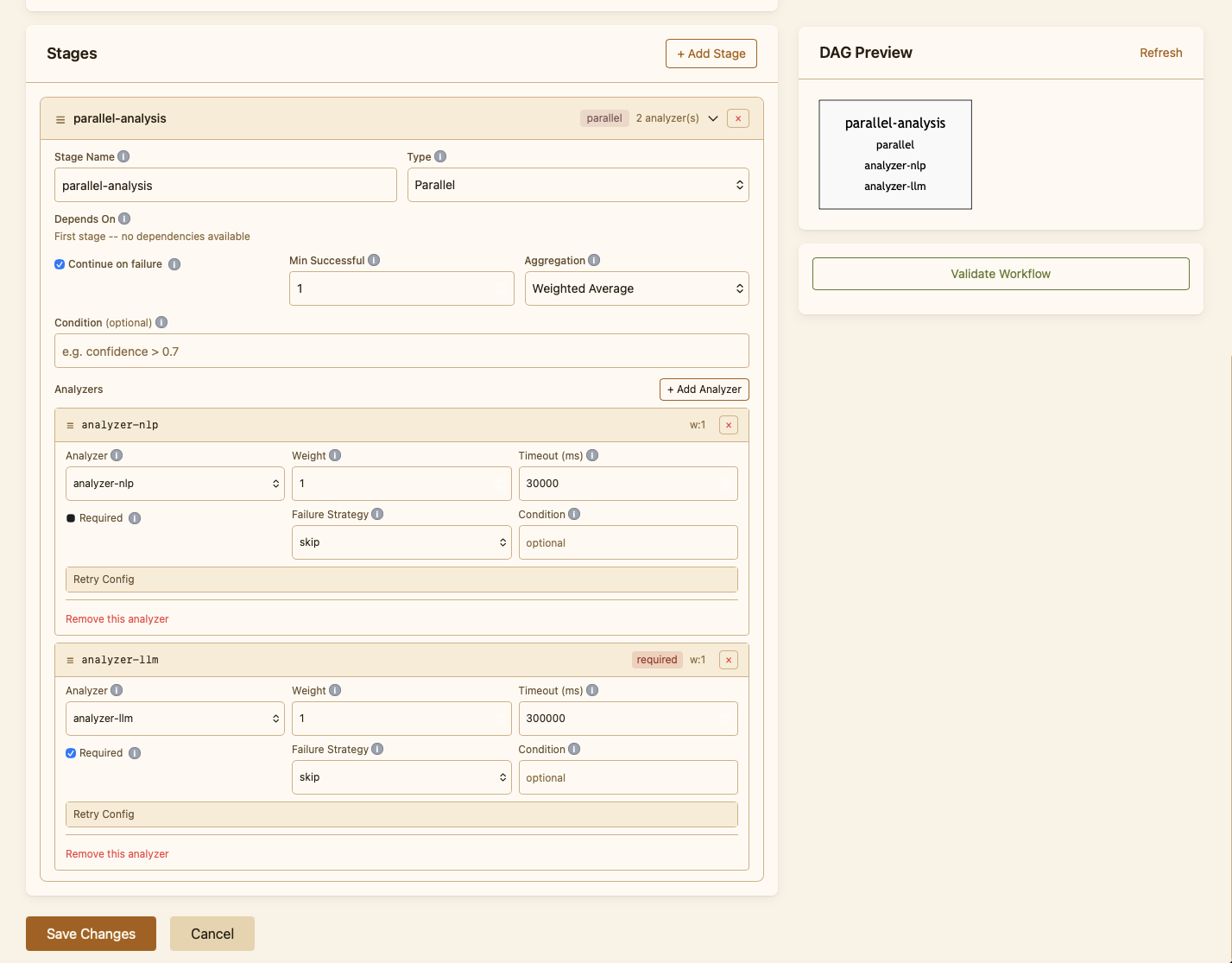
Validation runs on every save: SPOT refuses to commit a workflow that references analyzers that are not installed, has stage dependencies that form a cycle, or sets timings the platform cannot honour. The save fails with a clear explanation rather than letting a broken policy go live.
Knowledge-store policy inside a stage
A stage can also declare retrieval limits that apply to every analyzer running in it: a cap on the number of knowledge documents each analyzer is allowed to pull, and a minimum confidence score below which results are dropped. Limits are caps only ; they shrink what an analyzer asks for, never expand it. They exist so an operator can keep a stage cheap or quiet without having to retrain the analyzer.
Testing a workflow
Every workflow can be tested against a sample email straight from the dashboard. The test runs the full pipeline against the email, shows the verdict, and breaks down each analyzer's contribution. This is how operators sanity-check a new policy before promoting it to default, and how they reproduce a problematic classification after the fact.