Plugins
SPOT is built around plugins. Every classifier, every source of organisational context, and every connection to a mail server is a plugin: a small, self-contained component that the platform installs, configures, and talks to over a well-defined contract.
There are four kinds of plugin. Each one fills a different role in the journey of an email, and every plugin has exactly one: a mailbox connector that fetches mail and acts on verdicts is two plugins, a retriever and a responder.
Mail retrievers
A mail retriever is the bridge between a mail server and SPOT. Its only job is to deliver new messages into the platform as received: SPOT parses each raw message once, so every analyzer sees the same view of it. Whether the mail server is Postfix, an IMAP mailbox, an Exchange server, or a custom MTA, the retriever takes care of the specifics so the rest of SPOT does not have to care.
Retrievers come in two styles. Some sit inline with delivery: they intercept the message at the SMTP boundary, give SPOT a chance to classify it, and then either re-inject the message (optionally tagged with the verdict) or refuse it. Others run alongside delivery: they watch a mailbox for new messages and submit them after the fact, which is simpler to deploy but cannot block delivery. The choice between the two is a deployment decision; the workflow that runs afterwards is identical.
flowchart TB
    Mail([Mail server])
    Inbox([Mailbox])
    Retriever[Mail retriever]
    SPOT[SPOT platform]

    Mail -->|"1. inline:<br/>SMTP intercept"| Retriever
    Inbox -->|"1. out-of-band:<br/>poll mailbox"| Retriever
    Retriever -->|"2. submit email"| SPOT
    SPOT -.->|"3. verdict<br/>(inline mode)"| Retriever
    Retriever -.->|"4. tag / block / re-inject"| Mail

    classDef mail fill:#889b4a,stroke:#5d6f2e,color:#1f1610

    class Retriever mail
A route can send a retriever's messages to a specific workflow, so that they are always classified under the policy the operator chose for that source. A spam-trap retriever's mail, for instance, might run a fast triage workflow, while mail for the finance team runs the strictest policy (Workflows).
Context providers
A context provider keeps SPOT informed about the organisation it is defending. Most spear-phishing attempts depend on the absence of this information: an attacker pretending to be the CFO is only convincing if the receiver does not know what the real CFO's email address looks like. By keeping a current picture of who works at the company, which domains they correspond with, and what the policy book says, SPOT raises the floor on what it can detect.
Each provider deposits its facts as knowledge documents into a shared knowledge store on its own cadence ; every six hours, every day, however the source updates. An employee-directory provider deposits employee profiles. A wiki provider deposits policy pages. A domain-allow-list provider deposits known-good correspondents.
Two things happen as each document lands: the store tags it (employee, executive, policy, partner-domain, …) and ; more importantly ; embeds it as a vector with an embedding model. That second step is what lets analyzers query by meaning rather than by exact wording: an analyzer hands the store a snippet of the email plus a tag filter, and gets back the documents whose semantics are closest, regardless of which provider produced them.
flowchart TB
    Source([External source<br/>HRIS / wiki / feed])
    Provider[Context provider]
    Schedule[/Cron schedule/]
    KB[(Knowledge store)]
    Analyzer[Analyzer]
    Email([Email under analysis])

    Schedule -.->|"1. trigger"| Provider
    Source -->|"2. read"| Provider
    Provider -->|"3. deposit tagged<br/>documents"| KB
    Email -->|"4. under analysis"| Analyzer
    Analyzer -->|"5. query by tag<br/>+ semantic search"| KB
    KB -->|"6. matching documents"| Analyzer

    classDef analyzer fill:#e48212,stroke:#a95e09,color:#1f1610
    classDef context fill:#bb7d81,stroke:#8e5b5e,color:#1f1610

    class Provider,KB context
    class Analyzer analyzer
Operators can browse, search, or query the knowledge store directly from the dashboard. This is how they verify that a provider's data arrived in the shape they expected and that the right tags are applied.
Analyzers
An analyzer is a single classifier. Each one looks at the email from its own angle and returns a verdict, a score (how likely the email is malicious), how confident it is, and the signals behind its answer: named pieces of evidence such as auth.dmarc_fail or url.text_href_mismatch. Some analyzers read the text and reason about its tone; others scan the headers; others compare URLs to threat-intelligence feeds; others apply hand-written rules. A typical SPOT deployment runs several analyzers in parallel, each with its own strengths.
flowchart TB
    Email([Email])
    Stage[Workflow stage]
    NLP[NLP analyzer]
    LLM[LLM analyzer]
    Rules[Rules analyzer]
    Aggregate{{Verdict policy}}
    Verdict[Workflow verdict]

    Email -->|"1. submit"| Stage
    Stage -->|"2. dispatch"| NLP
    Stage -->|"2. dispatch"| LLM
    Stage -->|"2. dispatch"| Rules
    NLP -->|"3. verdict, score, signals"| Aggregate
    LLM -->|"3. verdict, score, signals"| Aggregate
    Rules -->|"3. verdict, score, signals"| Aggregate
    Aggregate -->|"4. decide"| Verdict

    classDef analyzer fill:#e48212,stroke:#a95e09,color:#1f1610

    class Stage,NLP,LLM,Rules,Aggregate,Verdict analyzer
An analyzer is also free to consult the knowledge store while it is running. A language-model analyzer evaluating a wire-transfer request might fetch the company's known executives so it can spot a name that is almost right; a rules analyzer might pull the partner-domain list to whitelist routine correspondents. The platform handles the plumbing ; the analyzer only declares which tags it cares about and/or let the embedding model determine which are the top_k semantically closest documents.
The answers of individual analyzers are turned into the platform verdict by the workflow that called them. That step is policy, not analysis: it is where the operator decides how much weight each analyzer should carry, which signals settle the matter on their own, where the thresholds lie, and what the platform should do about it. An analyzer that cannot decide answers unknown; one that fails counts as unknown too, never as benign.
Responders
A responder acts on verdicts: it quarantines a message, opens a ticket, notifies someone. Each workflow names the responders to call for each verdict; whether they act is the job's mode, its connection's and its route's: in enforce they act, in observe they record what they would have done (see Observe and enforce). A responder gets the verdict, the score, the signals and the mode, and may read the whole result and the message from SPOT.
Installing and configuring plugins
Admins manage plugins from the dashboard, with spot-cli plugin or through the API. The dashboard's Plugins page shows the unified catalog of plugins available from configured sources, alongside the list of plugins currently installed in this deployment. Installing a plugin pulls its container, registers it in the platform's configuration, gives it its own token, and starts it; uninstalling stops it and removes its registration. Most plugins also expose a settings form ; credentials for an external service, a polling interval, a classification threshold ; that the dashboard renders from the schema the plugin's image declares. Saving the settings restarts the plugin, which is unavailable for a few seconds. Each plugin container runs with a memory and a CPU limit, 1024 MB and 1 CPU unless its image asks for more; an admin raises them for a plugin that needs more.
Each plugin also declares what it sends outside SPOT: nothing (none), indicators such as URLs and hashes (indicators), or email content (content). Installing a content plugin, such as an analyzer that calls a hosted language model, needs an admin's explicit consent. A plugin built for another plugin contract than this SPOT's (contract 2) is shown in the catalog with the reason it cannot be installed.
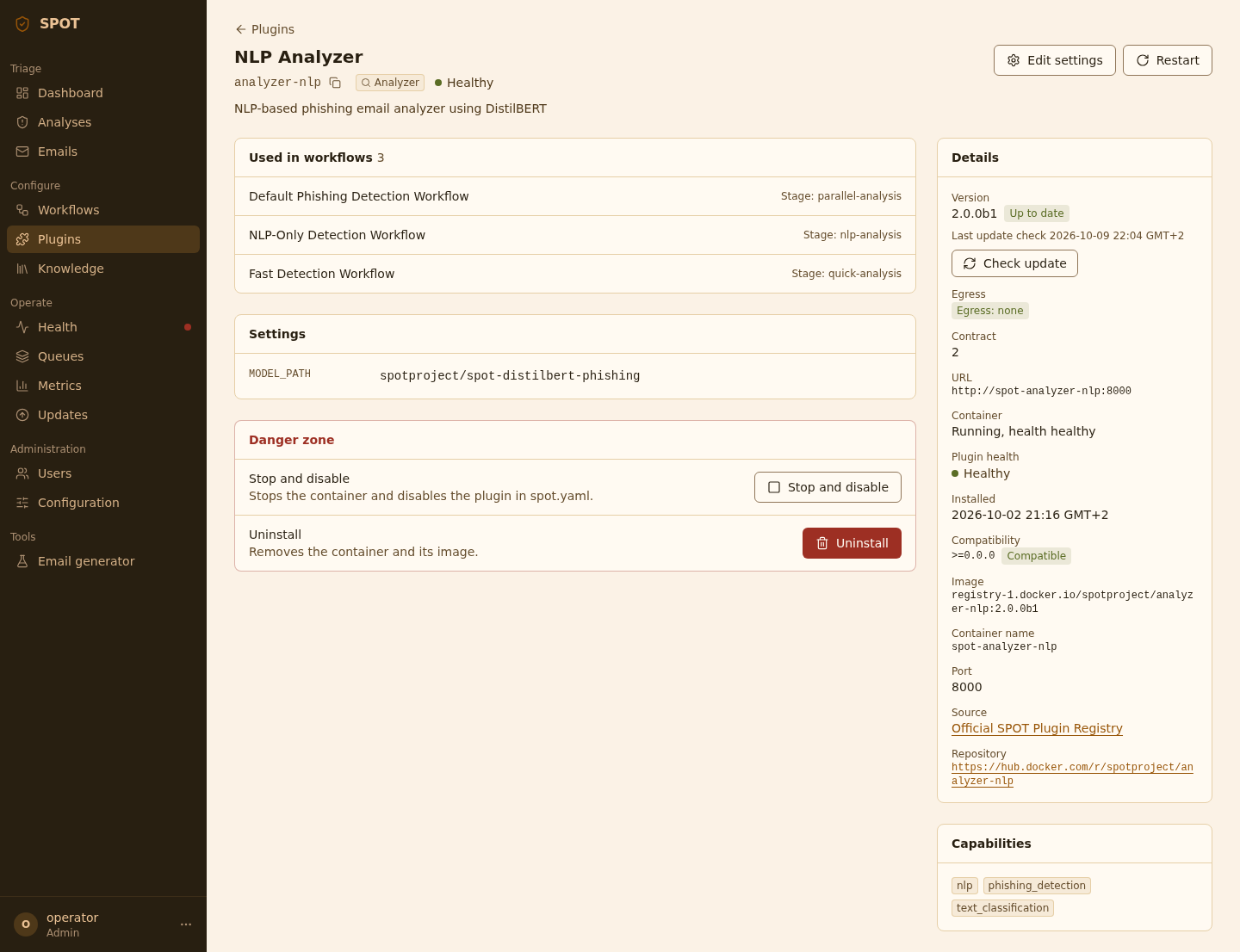
Catalog refreshes are scoped: the operator can re-scan a single source or check a single plugin for updates without rescanning everything. When a newer version is available, the plugin's row in the catalog shows an "Update available" chip, on the entry of the source it was installed from: another source's version is not what an update installs.
Versions
A source lists every version of a plugin it holds. An install, and an update without a version, take the newest version that runs on this SPOT: the plugin is built for plugin contract 2, and the SPOT range it declares (its compatibility) includes this SPOT's version. When the latest does not run, the newest one before it that does is taken, among the ten newest read. A SPOT release takes the final releases of a plugin (2.0.0, not 2.1.0rc1); a pre-release of SPOT, such as 2.1.0-beta.3, takes its pre-releases too. A tag that is no version is never taken. The catalog shows the version an install takes, and an install of a plugin none of whose versions runs on this SPOT is refused (400), with the reason of each version read. A refresh lists them for the SPOT version that runs it: the first start of the api-gateway after an upgrade refreshes the catalog again, in the background. A refresh that fails, or a registry that cannot list the tags, keeps what the catalog listed; a refresh at the start that fails, or that cannot scan a source, is logged, and the next refresh or start tries again.
Any version the source lists can be asked for, a pre-release among them: spot-cli plugin install <name> --version <version>, or the Version select of the plugin page, whose default, The newest that runs, leaves the choice to SPOT at install, as an install without --version does. An installed plugin's page lists the other versions under Another version. A version that does not run on this SPOT is refused (409 on an update, 400 on an install) with the reason: its contract, or the SPOT range it needs. A version the source does not list answers 404 on an update, 400 on an install. A version of egress class content needs the admin's consent, as an install or an update does.
An installed plugin's settings are read and sealed against the schema of its installed version, as its source lists it: a setting that version marks secret is sealed, given with --set or --secret, and its plugin and configuration pages show that version's settings. While its source does not list that version, which settings are secret cannot be told: a settings write is refused (503) and saves nothing, and the plugin page shows none of their values and says why.
An update records the version it replaced as the plugin's previous_version, in spot.yaml. spot-cli plugin rollback <name>, or Roll back to on the plugin page, installs it again; the settings and secrets stay as they are now. The source must still list that version. A roll back is an update: the version it leaves becomes the previous one, so a second roll back undoes the first.
An update without a version never goes to an older version: it takes the newest version that runs on this SPOT only when that is newer than the installed one. When it is not, the installed version stays: without settings or secrets given nothing changes, and the answer says the plugin is at the newest version this SPOT runs; settings and secrets given are applied at the installed version. When no version runs on this SPOT, a versionless update answers 409 with the reason of each version read.
Plugin sources
A source tells SPOT where to look for plugin images. SPOT reads three kinds:
The signed index (index) is a file that lists plugins and pins each version's image by digest, read only once a key SPOT ships is found to have signed it. Its URL is all an index source has: no organisation, registry or token. SPOT's own is the default source (see The signed plugin index).
Forge-driven sources point at a Git forge organisation. The platform lists the forge's repositories, then inspects each one's container image on the configured registry to read its OCI labels. Two flavours are supported today: gitlab and gitea (the latter also covers Codeberg and Forgejo). Forge-driven sources give catalog cards a free "view source" link to the originating repository, and the plugin's page its README (see The README).
Registry-driven sources point straight at a container registry and skip the forge entirely. They are the simpler option when only the images are public, when no Git forge is involved, or when the operator prefers a single point of trust. Four flavours ship out of the box: dockerhub, ghcr, gitlab_registry and gitea_registry. A registry source still recovers a "view source" link when the plugin's Dockerfile sets the standard org.opencontainers.image.source OCI label.
All three produce identical PluginInfo records and feed the same catalog. Operators may add as many sources as they like, in any combination; the install flow remembers which source each plugin came from so an "Update" never silently switches sources, even when two sources publish a plugin under the same id.
The sources are part of spot.yaml, under plugins.sources. Each change is a commit of its history, and a backup holds them. A source's token is sealed with ENCRYPTION_KEY as plugin secrets are, and never shown. A refresh rebuilds the catalog from them. See Plugin sources for the YAML.
A start adds the signed plugin index, spot-plugin-index, once, first by priority (50, where the Docker Hub source of 2.0 has 100): a new deployment gets it as its one source, and an upgrade keeps its sources and gains it (when, and the opt-out).
The signed plugin index
spot-plugin-index is the plugin index the SPOT project curates, in the repository spot-plugin-index. It is one file, index.json: each entry gives a plugin's kind, its publisher, its tier, its image, its repository, and each of its versions with the digest of its image and the SPOT versions it runs with. An entry is added or changed by a reviewed merge request, and each plugin has a tier:
- official: built and published by the SPOT project;
- verified: published by a third party whose identity and releases were reviewed;
- community: published by a third party, listed once its entry and its publisher's signature were reviewed.
SPOT reads the index from the repository's Codeberg mirror. A mirror is a third party: the signatures, not the host, are what make the file trusted. SPOT reads index.json only once one of the keys it ships is found to have signed its exact bytes, in index.json.sig beside it, at each refresh and again at each install. The signatures go to no transparency log, deliberately: SPOT checks them offline against the keys it ships. It refuses an index whose serial is lower than the one it read before, so that an older index cannot be served again in its place. That serial is kept in Redis, so an emptied Redis (a restore on a new host, for one) or anyone who can write to it resets it, though only to an index the project signed. And it reads what each version declares from the manifest of its digest, checking the manifest and its configuration against their sha256.
A plugin installed from the index is pinned by digest: its image is registry-1.docker.io/spotproject/<id>@sha256:..., which Docker checks again as it pulls it. The catalog shows each entry's tier; the plugin page shows the tier, the publisher and the digest, and, for a verified or community plugin, the fingerprint of its publisher's key.
A plugin installed from another source, such as the Docker Hub source of 2.0, keeps it, and updates from it. It moves to the index with spot-cli plugin update <id> --source spot-plugin-index, which re-creates its container once, on its image by digest; its settings and secrets stay as they are.
A plugin author gets a plugin listed as the index's README says, in "Adding a plugin or a version".
The README
A plugin's page in the dashboard shows the plugin's README when SPOT knows its repository: for a plugin of a forge source, the repository its scan listed; for a plugin of the index, the repository its entry names. A plugin of a registry source has none.
SPOT reads README.md at the repository's root, at the tag v<version> of the version installed, else of the version the catalog lists: tag each release v<version>, v2.1.0 for 2.1.0. A forge source's token reads it; an index's repository is read without one. The api-gateway keeps it a day, and a missing one an hour.
The text is shown as Markdown with HTML off: a tag in it shows as text. An image shows as a link to it, under the dashboard's CSP, which loads no image from elsewhere. Relative links resolve against the repository at the tag. A link to an http, https or mailto URL opens a new tab; any other shows as its text. Its limits:
- over 256 KiB, or not in UTF-8, it is not shown;
- over 32 KiB, or past 1 MiB of HTML, the page links it on the forge instead of showing it;
- past 10,000 table cells in all, a table shows as text;
- a link to a URL over 512 characters shows as its text.